
Rotogravure Printing
Improving Print Quality with Shaft Less Rotogravure
Techniques and adjustments to achieve consistent, high-quality prints on flexible packaging.

Why print quality drifts on a gravure line
Rotogravure is prized for repeatable, high-density colour, but repeatability is not automatic. On a multi-colour flexible packaging job the web passes through several printing units, dryers and idlers before it is rewound — and every one of them can introduce a small error that shows up as mis-registration, streaks or colour drift.
The good news: the causes are few and well understood. Controlling them is mostly a matter of process discipline, supported by the right machine features.

The four variables that decide print quality
| Defect | Likely cause | First check |
|---|---|---|
| Mis-registration | Tension variation, worn idlers | Tension readings across the web path |
| Streaks / haze | Doctor blade wear or angle | Blade condition, angle and oscillation |
| Colour drift | Ink viscosity change | Viscosity at regular intervals |
| Blocking / smudging | Insufficient drying | Dryer temperature and air flow |
Start with tension
Uneven tension stretches the film between units, so the image lands in slightly different places on every colour. Before adjusting registration marks, confirm that unwind, infeed and rewind tension are stable and suited to the substrate — a thin BOPP film and a laminate behave very differently.
- Smart Print 250 machine speed
- Up to 250 m/min
- Web width range
- 300–1300 mm
- Colour configurations
- 1–12
A start-up checklist that works
Before every job
- 1
Inspect the cylinders
Check engraving condition and cleanliness; damaged cells show up as voids.
- 2
Set the doctor blades
Confirm blade condition, contact angle and oscillation for each unit.
- 3
Stabilise tension
Run up to speed and let tension settle before judging registration.
- 4
Check viscosity and drying
Measure ink viscosity and confirm dryer settings for the substrate.
- 5
Lock registration
Let automatic registration control take over once the web is stable.
See a shaftless press running

“Consistent print quality is a process result, not a machine setting. The machine makes it possible; the process makes it repeatable.”
Frequently asked questions
Does a shaftless press print better than a shafted one?
Both can deliver excellent quality. A shaftless press makes registration and job changes easier to control because every unit is driven and corrected independently.
What is the most common cause of mis-registration?
Unstable web tension. Check tension across the web path before adjusting registration.
Which substrates can be printed?
Typical flexible packaging substrates include BOPP, PET, CPP, PE, PVC, nylon, paper, aluminium foil and laminates, depending on the machine configuration.
Machines mentioned in this article
-
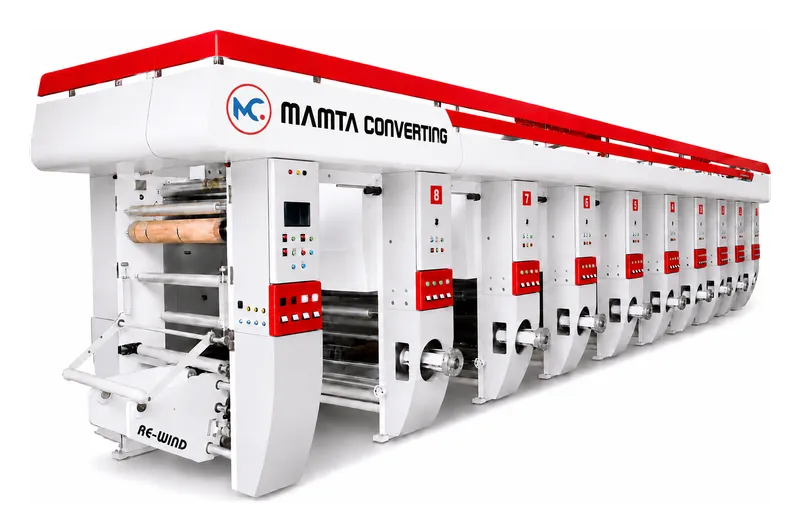
Smart Print 250
Shaft Less Rotogravure Printing Machine
Smart Print 250 - Advanced rotogravure printing machine with heavy frame structure, efficient gear box, and ergonomic design. Web width 300mm to 1300mm with 1 to 12 colours capability.
-
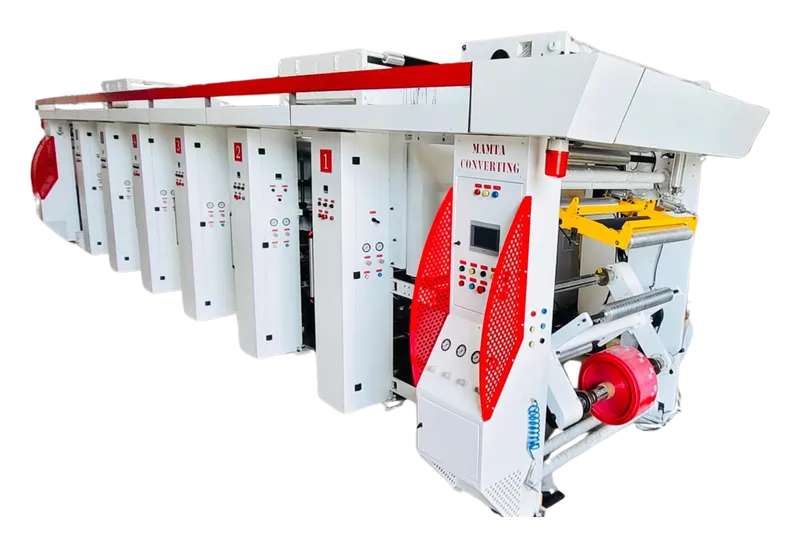
Smart Print 150
Shafted Rotogravure Printing Machine
Smart Print 150 - Professional shafted rotogravure machine tailored for specific industrial requirements. Heavy frame, efficient gear box, oscillating doctor blade.
-
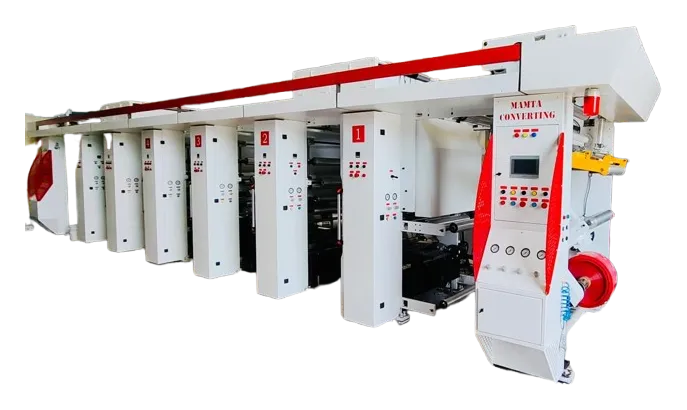
Smart Print 200
Shaft Less Rotogravure with Auto Turret & Auto Splicing
Smart Print 200 - Next-generation automation with auto turret and auto splicing features. Heavy frame structure, efficient gear box, oscillating doctor blade.


